

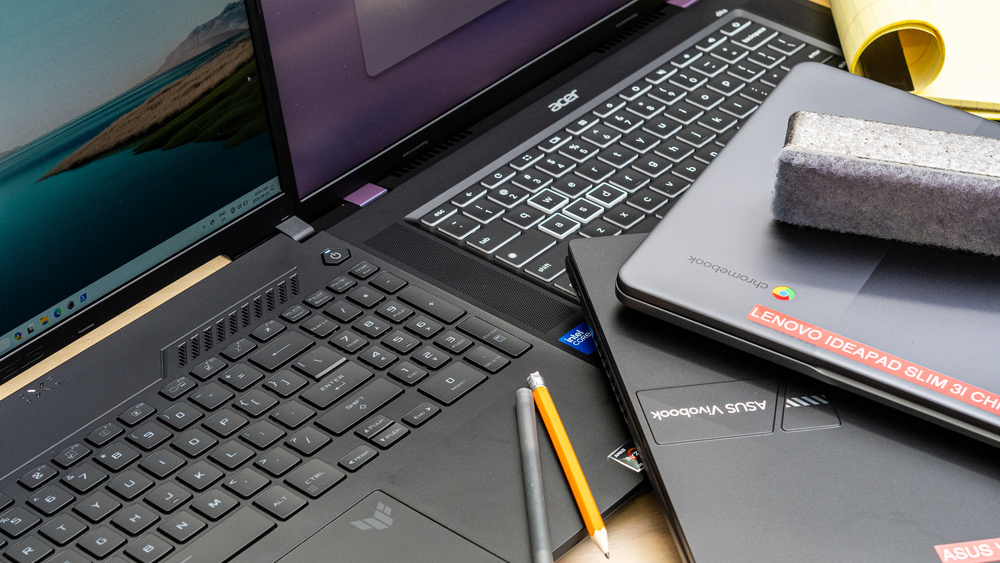
As students step into the digital classrooms, collaborate on group projects, stream lectures, research term papers, and craft presentations, having a reliable laptop becomes essential. But for most students, budgets are tight and value is paramount. In 2026, the “best” budget laptop isn’t just about low price — it’s about balancing performance, battery life, portability, display quality, and future-proofing so that your device can last through years of study without bogging you down or draining your wallet. Drawing on the latest 2026 laptop reviews and buying guides from tech publications, here’s an in-depth guide to choosing a student laptop that’s both affordable and capable.
What “Budget” Means in 2026
In today’s market, a budget student laptop usually falls into one of three broad price tiers: entry-level (often under roughly $400–$500 / similar in local currencies), mainstream affordable (around $500–$700), and higher-value but still cost-aware options that push up toward the $800 mark but deliver better performance and longevity. The smart buyer knows what they need — and what they can sacrifice. For example, a student who writes essays, attends virtual classes, and browses the web doesn’t need the same horsepower as a computing major compiling code or an art student rendering graphics.
Must-Have Features for Student Laptops
Processor (CPU): For basic tasks, newer Intel N-series chips or low-end AMD CPUs handle everyday work well. For more heavy multitasking, mainstream Intel Core i3 / i5 or AMD Ryzen 3 / Ryzen 5 processors deliver a noticeable boost.
Memory (RAM): 8 GB RAM has become the minimum sweet spot for smooth multitasking and responsive performance.
Storage: Solid-state storage (SSD) is critical for fast boot-ups and app loading — 256 GB is the pragmatic baseline, though more is better.
Display: A 1080p (Full HD) display makes reading, writing, and streaming easier on the eyes than older 720p screens.
Battery Life: Aim for at least 8–10 hours of real use so a laptop can last through long study sessions.
Operating System: Windows remains the most flexible for general school software, Chrome OS (Chromebooks) is a strong and affordable alternative if most work is web-based, and MacOS still appeals to creative students who want strong battery life and a premium ecosystem.
Top Budget Laptop Picks for Students in 2026
Here’s a rundown of standout budget laptops that strike excellent balance between price and performance.
Acer Aspire 3 Series
Often cited as one of the best overall budget laptops in 2026, the Aspire 3 combines a capable processor, solid battery life (often 10+ hours), and an SSD storage option, all at a price that doesn’t break the bank. Its 15.6-inch Full HD display is large enough for multitasking and common academic workflows, making it great for research, notes, and multimedia.
Lenovo IdeaPad Slim 3
Lenovo’s IdeaPad line continues to impress with solid performance for the price. Equipped with either Intel or AMD processors, comfortable keyboards, and reliable battery life plus good build quality, this model is ideal for students who bounce between Zoom lectures, essay writing, and light spreadsheet work. It’s often recommended specifically as a top value pick in laptop lists for 2026.
ASUS VivoBook Series
The ASUS VivoBook lineup appears repeatedly in 2026 guides as an excellent student pick, blending sleek design with capable everyday performance. It typically features a Full HD display, responsive keyboard, and a general-purpose CPU strong enough for most academic workflows. For students taking notes, writing reports, or managing cloud-based apps, this hits the right balance of price and productivity.
HP Pavilion x360 Convertible
For students who value versatility, the Pavilion x360 provides 2-in-1 flexibility — a touch-enabled screen that flips into tablet mode — at an affordable price relative to premium convertibles. This is especially useful for design students or those who use digital annotation tools or creative software.
Chromebook Options (e.g., HP Chromebook Plus 15.6-inch)
Chromebooks, running Chrome OS, remain a strong choice for students on very tight budgets who rely mainly on web apps like Google Workspace. They often come with excellent battery life, low price tags, and a minimal approach to computing that’s perfect for research, online classes, and writing assignments. The HP Chromebook Plus, for example, blends solid performance and a roomy screen at a budget-friendly price.
Choosing the Right Laptop for Your Major
Not all students have the same needs. Here’s how to think about laptop choice based on your academic focus:
Humanities and Social Sciences: Tasks like writing papers, collecting research, and joining online discussions don’t require high horsepower. Mid-range laptops with Core i3 or Ryzen 3 CPUs and 8 GB RAM are usually more than enough.
Business and Commerce: These often benefit from spreadsheets and presentations. A laptop with a slightly stronger CPU and a roomy keyboard/display setup helps boost productivity. The Acer Aspire and VivoBook series shine here.
STEM (Science, Technology, Engineering, Math): If your course requires programming, simulations, or technical computing, aim for Ryzen 5 or Intel Core i5 options with at least 8 GB (preferably 16 GB) RAM and a larger SSD.
Creative Fields (Design, Video, Audio): Creative applications thrive on power and display quality. While budget laptops can cover basics, students in these fields may benefit from stepping up to devices with more RAM and dedicated graphics or lean toward models like the Pavilion x360 convertible when deals are available.
Price-Conscious Browsing/Office Use: If your tasks are limited to online quizzes, email, and documents, a Chromebook or ultra-budget Windows laptop delivers stellar battery life at minimal cost.
Buying Tips for Students
Look for Student Discounts: Many vendors (including Apple, Dell, Lenovo, and ASUS) offer educational pricing.
Timing Matters: Back-to-school sales, Black Friday, and holiday deals often bring mid-range laptops into budget territory.
Consider Refurbished Devices: Certified refurbished models can bring higher-tier laptops into student budgets without sacrificing performance.
Prioritize Upgradability: If you can add RAM or storage later, starting with a base model and upgrading can be more economical over the long term.
Frequently Asked Questions (FAQs)
What is a realistic budget for a student laptop in 2026?
A realistic student budget in 2026 starts around $400 to $800 for a solid general-purpose laptop that balances performance, storage, display quality, and battery life. Models under $500 cover basic tasks well, while the $600–$700 bracket gets appreciably better performance and longevity.
Is a Chromebook good enough for college work?
Yes, Chromebooks are excellent for students who mainly work in a browser with cloud-based productivity suites like Google Workspace. They offer long battery life and low prices, though they can be limiting if you need Windows- or Mac-specific software.
How much RAM is enough for student use?
For most student tasks in 2026, 8 GB RAM is the minimum recommended. It ensures smooth multitasking among browsers, document editors, and streaming apps. Students doing heavier tasks like coding or creative work might benefit from 16 GB.
Should I choose Windows, macOS, or Chrome OS?
Windows is the most flexible for general and academic software use. macOS appeals to creative students and those invested in Apple ecosystems, often with excellent battery life. Chrome OS is the simplest and cheapest but limited to web-centric workflows. Your choice should reflect your software needs and budget.
Can a budget laptop last throughout my degree?
Yes, if you prioritize a balanced spec sheet (good CPU, SSD storage, adequate RAM) and take advantage of deals, a well-chosen budget laptop can serve reliably for years. It’s worthwhile to aim for slightly better specs than bare minimums to ensure it doesn’t feel outdated before graduation.
Conclusion
Budget laptop shopping in 2026 presents more choices and better value than ever before. Whether you’re taking notes, managing spreadsheets, collaborating on research, or learning to code, there’s a student-friendly laptop that fits your financial limits and academic demands. By thinking strategically about specs, timing your purchase for deals, and aligning features with your field of study, you can get a machine that not only handles classes today but stays relevant throughout your academic journey.
Related: List of 10 Life-Changing Apps You Didn’t Know You Needed in 2026
Hi, this is a comment.
To get started with moderating, editing, and deleting comments, please visit the Comments screen in the dashboard.
Commenter avatars come from Gravatar.